As quick as Keep
Capture a thought, a list or a photo in a moment, without wading through a heavy notebook.

NoteOutline
A calm place for notes, lists and drawings, organised with real folders — not a flat pile of notes.
Made by Beviond. Android, iOS, Chrome, Windows and Mac are all coming soon.

The idea
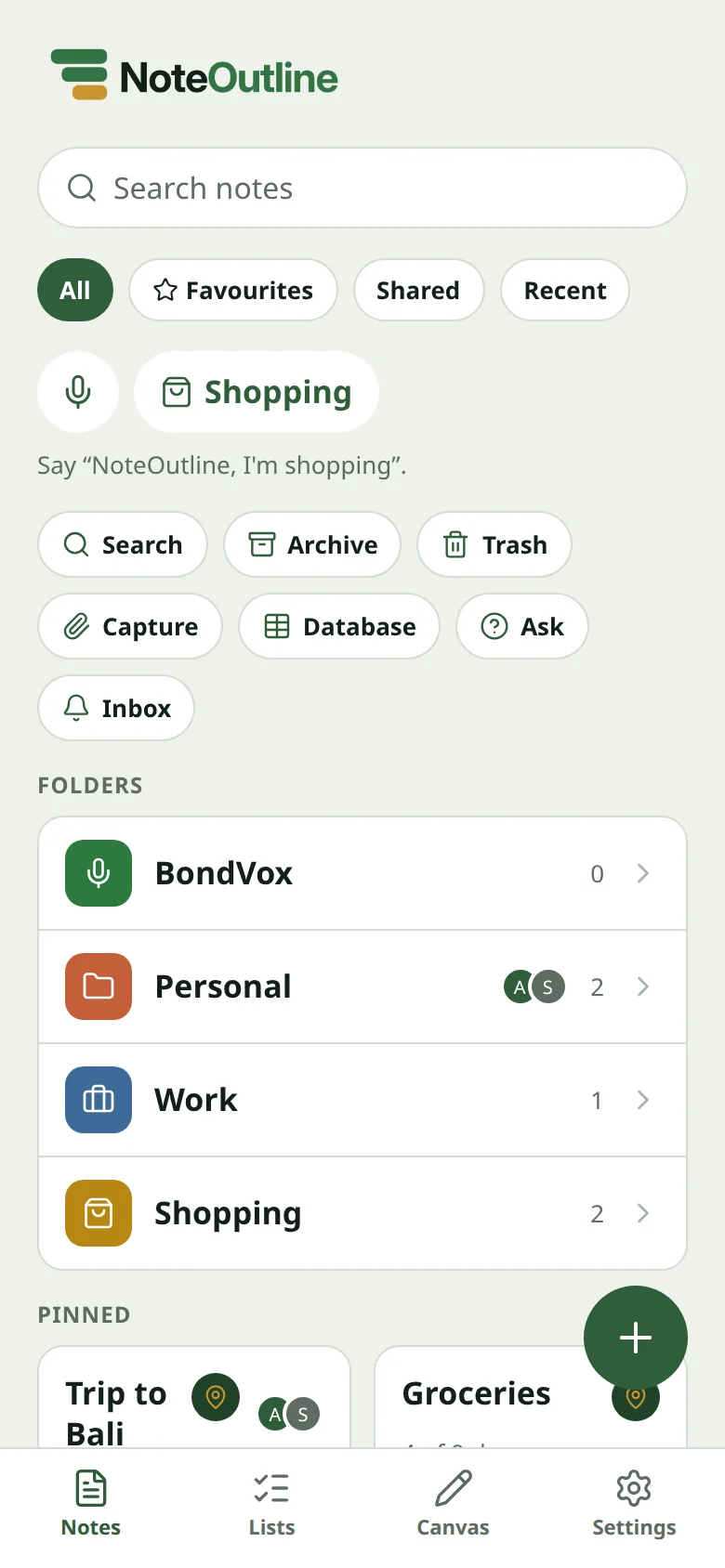
Most notes apps lean one way or the other: fast but messy, or organised but heavy. NoteOutline is built to be both.
Capture a thought, a list or a photo in a moment, without wading through a heavy notebook.
Folders, subfolders and colour, so every project has a home — not a flat pile of notes.
The same calm app for both. Open it, write, and keep everything in a structure you can actually find again.
Features
Notes, checklists and canvases live together in real folders, with a design that stays out of the way.
Give every project a home, add subfolders, and colour them so you can see where you are.
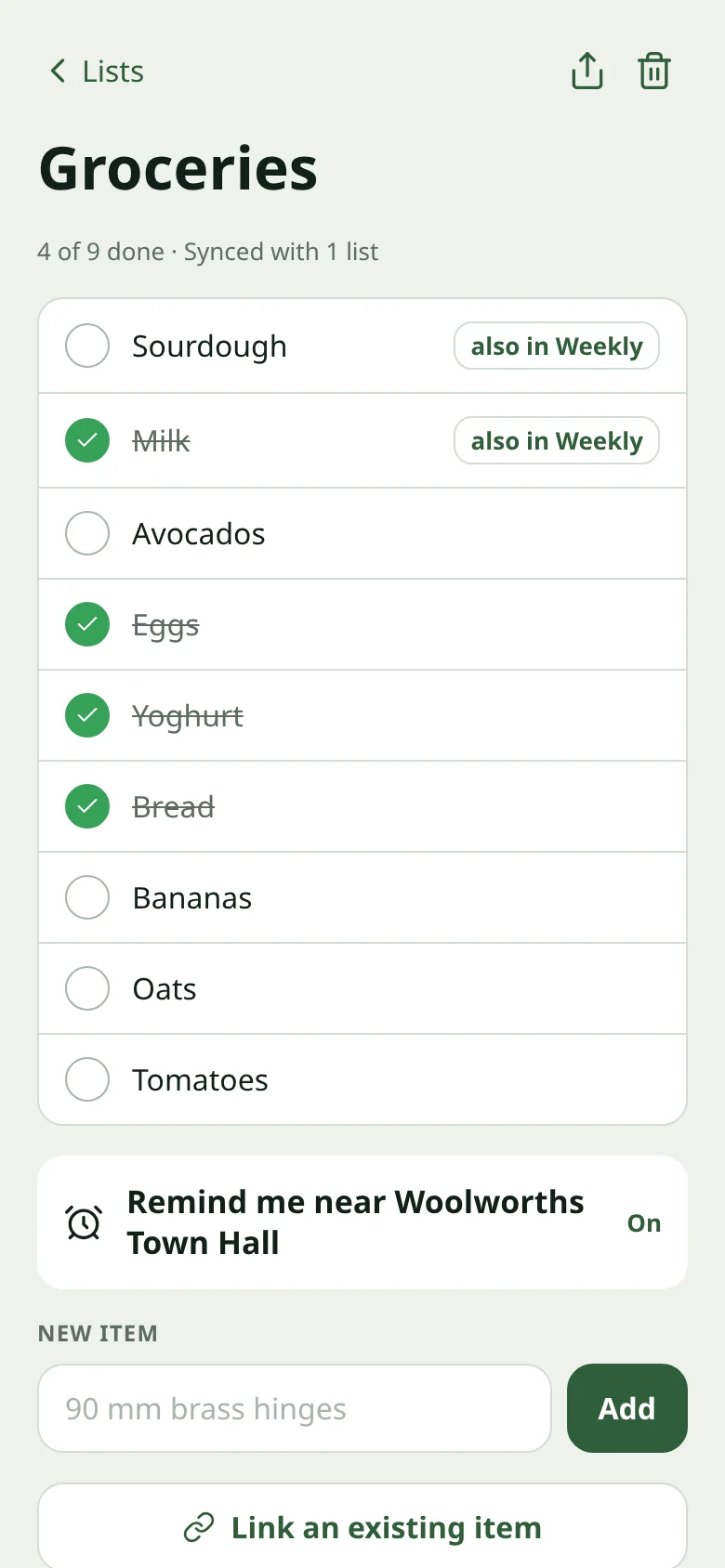
Tick an item once and it ticks on every list that shares it — a weekly shop and a day-to-day list stay aligned.
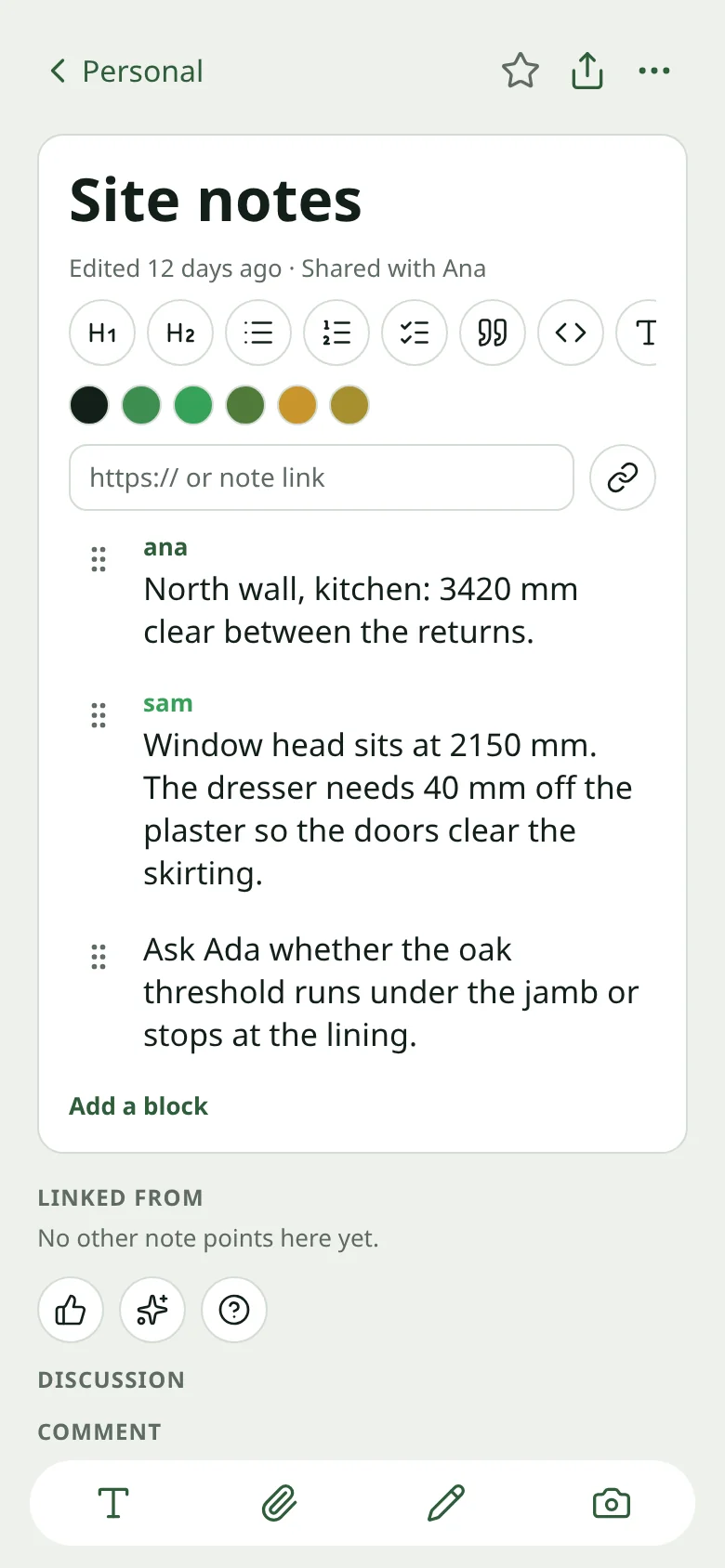
Add photos, PDFs and files to a note as you work, alongside headings, lists and links.
Open an infinite canvas to sketch freely, or switch to precision drawing when a plan needs to be exact.
A list can nudge you when you are near a shop you have tagged. Location stays off until you turn this on.
Share a note or a folder and keep the same structure. Comment on a note when you need to discuss it.
A soft moss background with white cards, and a matching dark theme. Choose richer or softer folder colours.
Folders
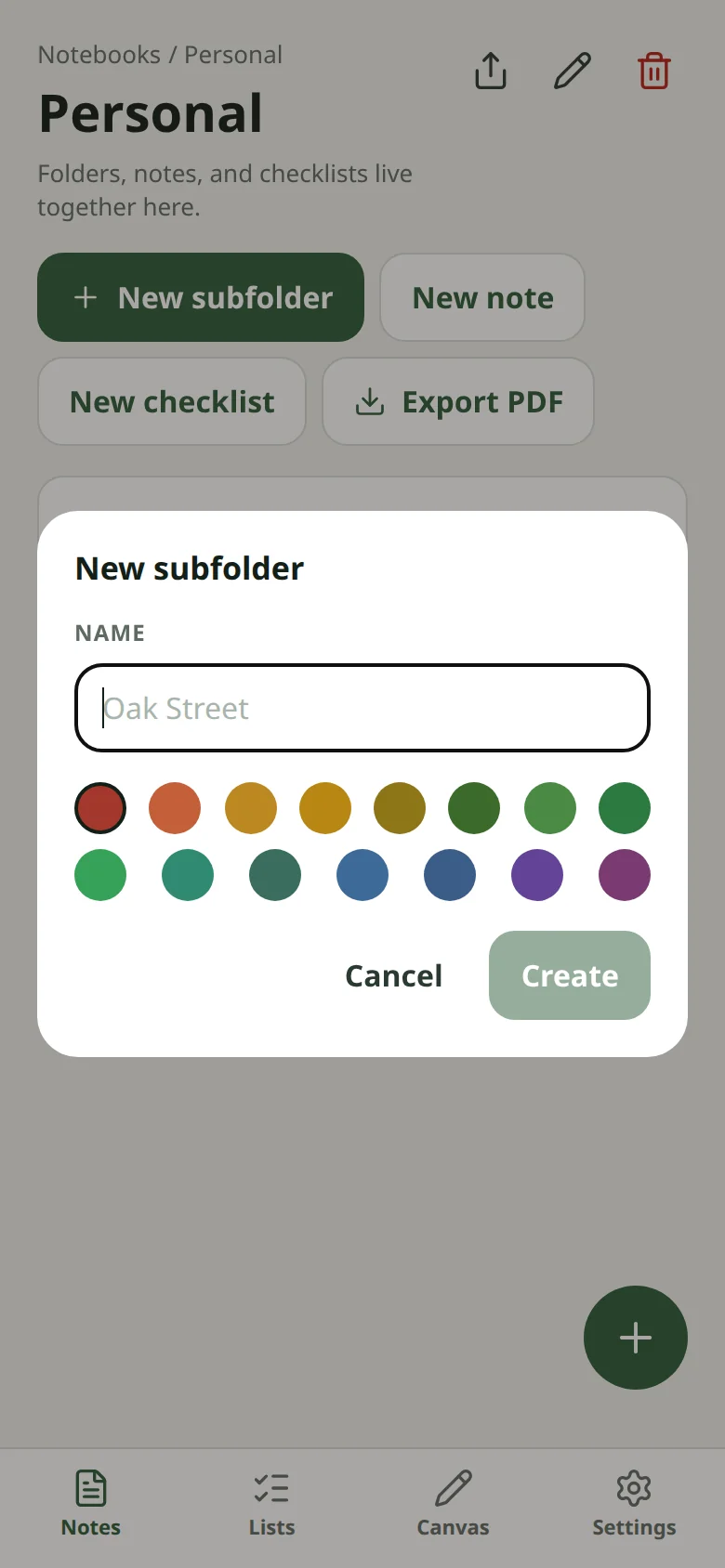
Create folders and subfolders, give them a colour, and keep notes, checklists and canvases together. Search, pin, archive or export a folder as a PDF.
Checklists
Link the same item across lists so a weekly shop and a day-to-day list stay in step. Tick it once, and it ticks on every list that shares it.
Capture
Add photos, PDFs and files to a note as you work, alongside headings, lists and links — without sending them off to another app.
Store alerts
Turn on location alerts so a list can remind you when you are near a shop you have tagged. Location is used only with your permission, and stays off by default.

How it works
Give a project a home and a colour. Add subfolders if you need them.
Write, start a checklist, or open a canvas. Keep them together in the folder.
Attach photos and PDFs, tick items, or draw freely or to the millimetre.
Share a note or a folder. Optionally, a list can nudge you when you are near a shop you have tagged.
Made for real life
Organised enough to enjoy the day: the shop, the work, the weekend, the trip.






Why NoteOutline
Built for people who want a notes app that is quick to open and still has a real filing system.
Subfolders and colour give every project a place, instead of relying on labels and a long scroll of notes.
The same checklist item can live on more than one list. Tick it once and it updates everywhere it is shared.
Sketch freely on an infinite canvas, or draw to the millimetre for plans, markup and measured sketches.
See a set of notes as a table, a board or a calendar, and link related notes together.
Swipe sideways to see Notion, Keep, OneNote and Evernote.
| Feature | NoteOutline | Notion | Keep | OneNote | Evernote |
|---|---|---|---|---|---|
| Folders and subfolders | Yes | Yes | Partial | Yes | Yes |
| Checklist items that sync across lists | Yes | Partial | Partial | Partial | Partial |
| Precision drawing to the millimetre | Yes | — | — | Partial | — |
| Opt-in store or location alerts | Yes | — | Partial | — | Partial |
| Notes as a table, board or calendar | Yes | Yes | — | Partial | Partial |
| Photo and file attachments | Yes | Yes | Partial | Yes | Yes |
A simple snapshot of commonly available features. It may not cover every feature or platform, and other apps change over time.
Light and dark
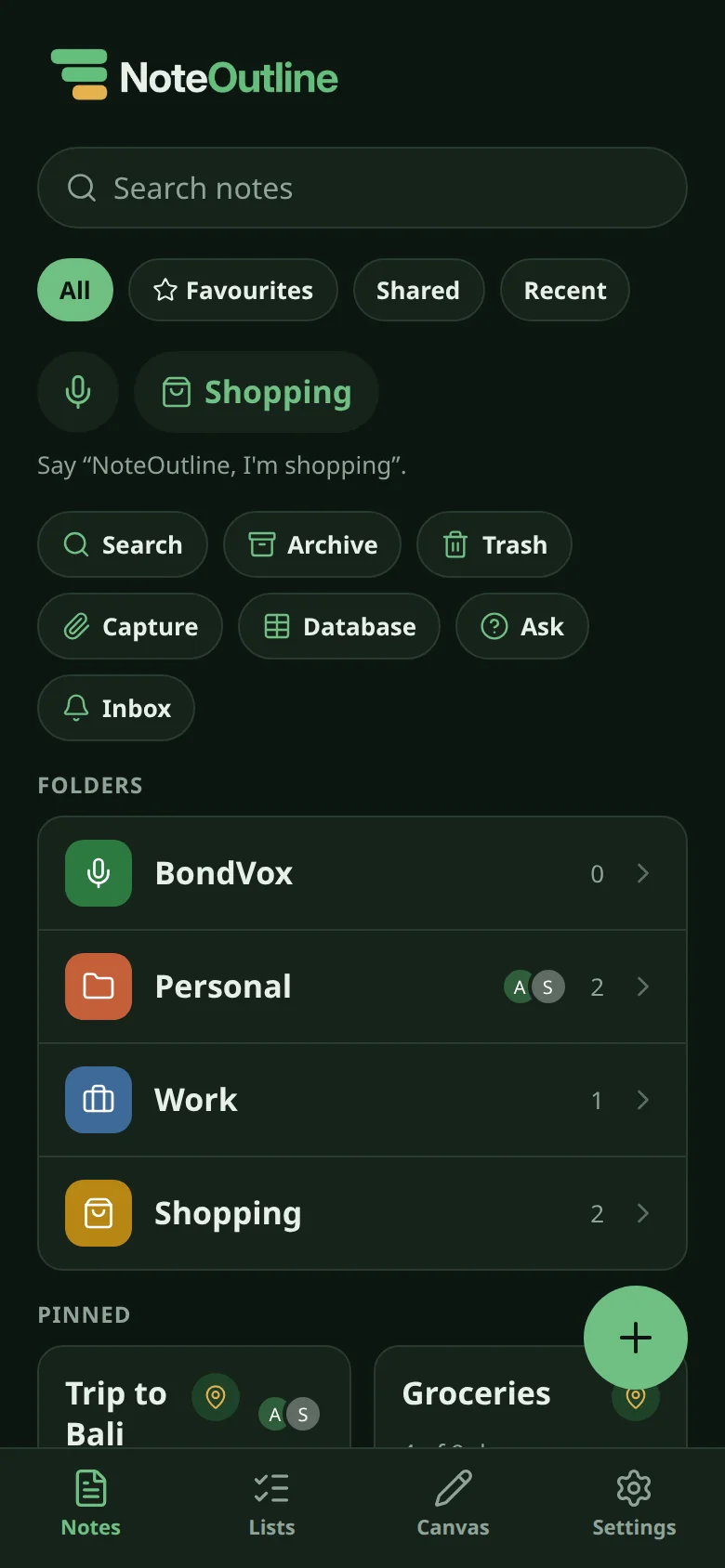
A soft moss background with pure white cards in the light theme, and a matching dark theme. Choose richer or softer folder colours.
FAQ
Only if you turn on store alerts. Location is off by default, and is used only to nudge you when you are near a shop you have tagged.
Android, iOS, Chrome, Windows and Mac are all coming soon.
You can link the same item across lists. Tick it once and it ticks on every list that shares it, so a weekly shop and a day-to-day list stay in step.
Yes, so your notes sync across your devices. Sign in with email, or continue in one tap with an account you already use. Two-step sign-in with an authenticator app is optional.
Yes. Share a note or a folder and keep the same structure. You can comment on a note when you need to discuss it.
Coming soon
Android, iOS, Chrome, Windows and Mac are all coming soon.
